
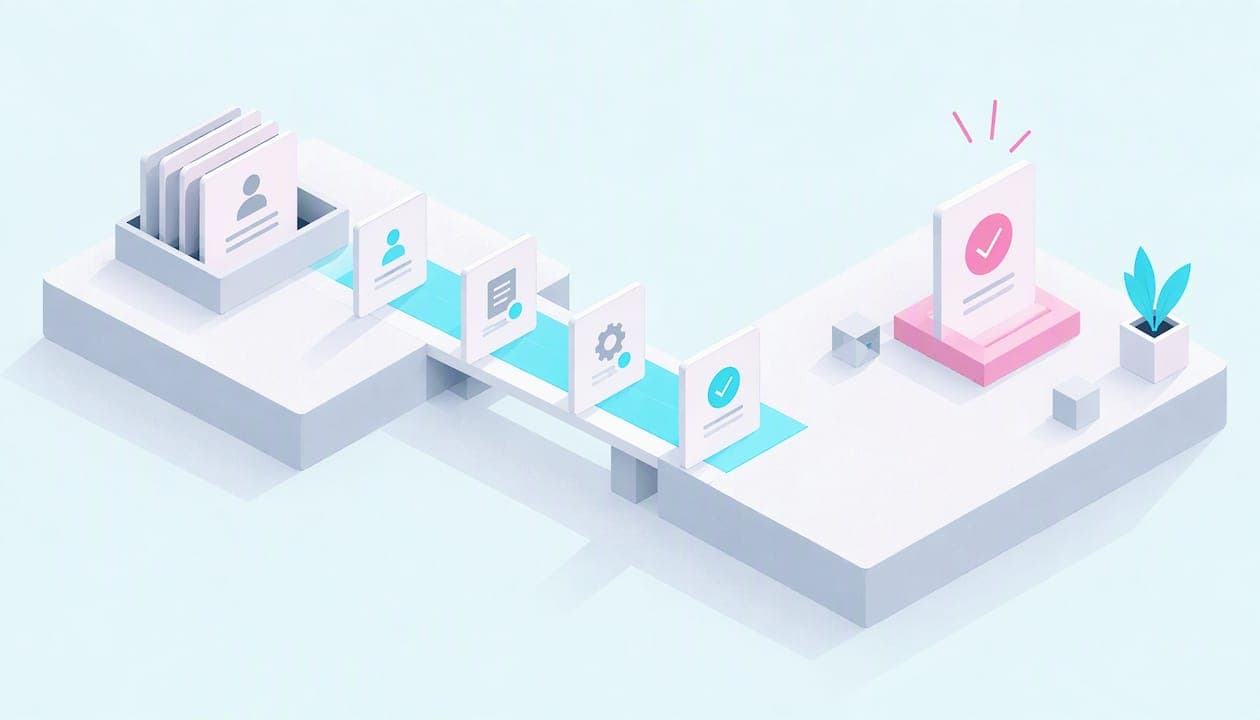
You can automate client onboarding by handing the repeated, rule-based steps to software and keeping the judgment calls for people. In practice that means automating intake forms, welcome emails, scheduling, contracts and signatures, and task setup, then keeping the kickoff conversation human. Build it in that order, test it with a real (or fake) client, and measure it. This guide shows you how, with two worked examples, a tool checklist and the data-protection basics a small business needs.
Key Takeaways
- Automate steps that are repeated and need no judgment: intake, reminders, scheduling, signatures and task creation. Keep the first real conversation personal.
- Map your current process on paper first. Automating a messy process only makes the mess faster.
- A basic setup needs a form, a calendar link, an e-signature tool, a CRM or spreadsheet, a task tracker and something to connect them.
- Protect client data from day one: multi-factor authentication, least-privilege access, encryption and a clear retention rule.
- Measure time to signed agreement, time to kickoff and how many manual follow-ups you still send, then fix the slowest step.
Table of Contents
- What client onboarding automation actually covers
- Map the workflow before you build anything
- The tools and connections you need
- Protect client data while you automate
- Test the flow before a real client sees it
- Measure whether it is working
- Common mistakes to avoid
- Our perspective
- Get help building your onboarding flow
- FAQ
- Sources
What client onboarding automation actually covers
Onboarding runs from the moment a client says yes to the moment they are getting value from you. Automation uses software, and increasingly AI, to handle the repetitive work in that stretch. IBM's overview of onboarding automation lists data capture, communication, document signing, scheduling, and task or project setup and tracking as the typical targets.
In a small business, that translates into six jobs:
- Information gathering: a form or questionnaire the client fills in once, with the answers routed to your CRM or a shared sheet.
- Welcome messages and reminders: an email that goes out the moment the contract is signed, plus nudges if something is missing.
- Scheduling: a booking link tied to your real availability, so nobody trades five emails to find a time.
- Documents: proposals, contracts and intake packets generated from the data you already collected.
- Signatures: documents sent for e-signature, with automatic chasers.
- Task and project setup: a project template that spins up the checklist, folders and assignments for each new client.
IBM describes the same pattern: automation can send welcome emails and reminders, route captured data to a CRM, generate documents for e-signature, create project structures and let clients book meetings against team availability.
Map the workflow before you build anything
The most common failure is starting with the most complicated step. A better approach is to write down what happens today, then decide step by step what to do with it.
Step 1: List every touchpoint
Take your last two or three clients and write down everything that happened between "yes" and "first deliverable." Include internal steps nobody sees: creating a folder, adding the client to billing, granting access to a shared account. Most owners find 15 to 30 steps, and several that exist only in someone's head.
Step 2: Sort each step into three lanes
For every step, ask three questions: Is it repeated for every client? Is the right output always the same given the input? Would a mistake be embarrassing or costly?
| Lane | What belongs there | Examples |
|---|---|---|
| Automate fully | Repeated, rule-based, low risk | Welcome email, reminders, booking link, folder creation, invoice from a template |
| Automate and review | Repeated, but a person should check the output | Proposal drafts, AI summaries of intake answers, account access requests |
| Keep human | Judgment, trust or emotion involved | Kickoff call, scoping disagreements, a client who seems unsure or upset |
The middle lane is where AI is most useful today. Software drafts, a person approves. That keeps speed without sending something wrong under your name.
Step 3: Decide where the human moments go
Automation should clear the path to a good conversation, not replace it. A simple rule: let software handle everything before the kickoff call, so that the call itself is spent on goals, concerns and expectations rather than collecting an address and a logo. Then add one deliberate personal touch in the first week, such as a short note or a check-in call after the first deliverable.

Step 4: Build in order of frequency
Start with what happens to every single client: welcome email, intake form, scheduling. Add contracts and signatures next, then project setup. Leave edge cases (a client with special requirements) for a manual path you document but do not automate.
The tools and connections you need
You do not need an enterprise platform. A small business can build a working flow from these parts:
- Intake form: collects the same information every time. Keep it short and ask only what you will use.
- Scheduling tool: a booking page connected to your calendar, with buffers and a confirmation email.
- E-signature tool: sends contracts, tracks who has signed and reminds those who have not.
- CRM or client database: even a well-structured spreadsheet works at first. It is the single place where client records live.
- Task or project tracker: a template that creates the onboarding checklist for each new client.
- Email platform: sends the welcome sequence and reminders from your own domain.
- A connector: a no-code automation tool that listens for an event ("contract signed") and triggers the next steps. This is the glue.
If you are trimming subscriptions as you build this, our guide on reducing software costs without hurting your business helps you avoid paying for overlapping tools.
Two examples of how it fits together
Example 1: A bookkeeping practice. The client signs the engagement letter. The signature triggers a welcome email with a link to a secure intake form (business type, accounting software, prior-year documents). Form answers create a record in the client list and a task set: request bank access, set up the chart of accounts, schedule the kickoff. A booking link appears in the welcome email. If the document upload is empty after three days, a reminder goes out. The bookkeeper's only manual step is the kickoff call and reviewing the account access.

Example 2: A small web design studio. A website inquiry form feeds an AI step that reads the message, tags it by project type and drafts a reply for the owner to approve. Once the proposal is accepted, the system creates a project from a template, sends the creative brief questionnaire and books the discovery call. We built a working demo of AI inquiry triage that shows how the first step of that flow can work.
Protect client data while you automate
An onboarding flow collects names, contact details, sometimes financial or health information, and often passwords or account access. Automating it spreads that data across several tools, so each connection needs thought.
The U.S. government's guidance for small businesses, NIST's small business information security fundamentals, points to a short list that applies directly here:
- Use multi-factor authentication on administrative and cloud-accessible accounts, which includes your form, CRM, e-signature and automation tools.
- Encrypt data in transit and at rest, and use full-disk encryption on laptops and other hardware.
- Apply least privilege: each person and each integration gets only the access it needs.
- Keep regular encrypted backups, stored off-site.
Two habits matter especially for onboarding. First, never ask clients to email passwords or keys. Use a secure sharing method or have them add you as a delegated user. Second, collect only what you need, tell clients why you need it, and set a retention rule so old intake data is deleted on a schedule, which also makes deletion requests easier to honor.
If you handle financial information, such as tax prep, lending or certain advisory work, you may be a covered financial institution under the FTC Safeguards Rule. It requires a written information security program with administrative, technical and physical safeguards. If that could be you, confirm your obligations with a lawyer or compliance professional familiar with your industry.
If you want to understand the underlying security concepts, our Security+ general security concepts page explains the vocabulary in plain English.
Test the flow before a real client sees it
Run the whole sequence with a dummy client using your own second email address. Check each of these:
- Does every email arrive, and not land in spam? Confirm your sending domain is set up properly.
- Do the links work on a phone?
- Does the data land in the right fields in the CRM?
- What happens if the client skips a step or fills the form out wrong?
- Who is notified when something stalls?
Then run your first two or three real clients with a person watching each step. Fix the friction you see before you leave it unattended.
Measure whether it is working
Automation without measurement is guesswork. SignWell's onboarding workflow guide suggests tracking the time from closed deal to signed agreement, signed agreement to kickoff, total onboarding time, on-time completion, manual follow-ups, stuck clients and client satisfaction after onboarding.
A simple monthly review looks like this:
| Metric | What it tells you | What to do if it is slow |
|---|---|---|
| Deal to signed agreement | Whether your contract step creates friction | Shorten the document, add a reminder, allow mobile signing |
| Signed agreement to kickoff | Whether scheduling and intake work | Move the booking link into the first email |
| Manual follow-ups per client | How much work is still on you | Automate the most common chaser |
| Stuck clients | Where the process breaks | Look at the step where they stall and simplify it |
| Satisfaction after onboarding | Whether speed came at the cost of warmth | Add a personal touch in week one |
Improve one step at a time and re-measure. A flow that is 20% better at the slowest step beats a rebuild.
Common mistakes to avoid
- Automating before you have a process. If two team members onboard clients differently, settle on one way first.
- Long intake forms. Every extra question lowers completion. Ask for the rest on the kickoff call.
- No owner. Someone must be responsible for the flow when a tool changes or breaks.
- Hiding the human. Clients should know who to contact. Sign the welcome email with a real name.
- Tool sprawl. Five subscriptions that each do one thing can cost more than one that does three.
Our perspective
We see the same pattern in small businesses: the owner is excellent at the work and loses hours every week to the admin around starting it. Chasing a signature, re-typing form answers, setting up the same folders for the tenth time.
Our view is that onboarding is the best first automation project. It happens for every client, the steps are predictable, and the payoff is visible quickly. But it only works if the scope is honest. We map the process with you, automate the steps that are safe to automate, and tell you plainly which ones should stay with a person.
We also document real builds, including the mistakes. A flow that looks good in a demo can fail on the first client who uploads a photo of a document instead of a PDF. Testing with real cases, and securing each connection with multi-factor authentication and least-privilege access, is part of the job, not an add-on.
You do not need to be technical to do this well. You need a clear picture of your process and someone who explains each choice in plain English.
Mike
Get help building your onboarding flow
If you would rather not wire this together yourself, we do it hands-on for small businesses. Our services include an AI Intake & FAQ Assistant, a Lead-Routing & Follow-Up System, and a Quick Win + Tech Checkup that is a good place to start if you are not sure which step to automate first. We do not publish prices, so you can see the scope of each service and ask about your situation on our services page.

If your team works remotely, our Remote Small-Office IT Setup covers business email, accounts and security configuration, which is the foundation an onboarding flow sits on.
FAQ
How long does it take to automate client onboarding?
A basic flow (intake form, welcome email, booking link and a signature step) can be built in a few days if your process is already clear. Mapping the process is usually the longer part. Add contracts, project templates and AI-assisted steps over the following weeks, one at a time.
Will automation make my business feel impersonal?
Not if you automate the administrative steps and keep the conversations human. Send welcome messages from a real person, keep the kickoff call personal, and add a check-in after the first deliverable. Clients tend to notice delays and repeated questions more than the presence of software.
What should I automate first?
Start with what every client goes through: the welcome email, the intake form and scheduling. These are repeated, low risk and easy to test. Move on to contracts, signatures and project setup once those run smoothly.
Do I need a CRM to automate onboarding?
Not at the start. A well-organized spreadsheet or client database can hold the records while you prove the process works. A CRM becomes worthwhile once you are handling enough clients that tracking stages and follow-ups by hand slows you down.
Is automated onboarding safe for sensitive client information?
It can be, if you secure each tool and connection. Use multi-factor authentication, encryption and least-privilege access, collect only what you need, and set a retention rule. If you handle financial data, check whether the FTC Safeguards Rule applies to you.
Sources
- IBM: Customer onboarding automation
- NIST: Small Business Information Security, the Fundamentals
- FTC: Safeguards Rule, what your business needs to know
- SignWell: Client onboarding workflow